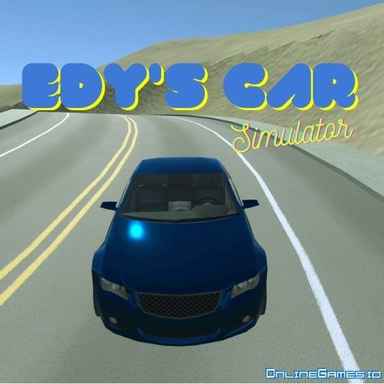
Edys Car Simulator





Edys Car Simulator — Controls and playing guide
What you do
Free-roam a city with different vehicles and experiment with an off-road or load-testing area. The activity is open-ended rather than mission-driven.
Controls
WASD/arrows to drive; Space for handbrake; Enter to reset; Tab or number keys to switch vehicles.
A useful first decision
Drive the same section in two vehicles to compare their turning and braking. Reset if tipped instead of treating a stalled test as a failure.
Compare with these games
| Play | What you do | A useful first decision |
|---|---|---|
| Cat Simulator | Explore as a cat, complete activities, and earn coins toward other breeds. Movement and jumping help reach the next task location. | Check the current task before wandering far away. Use short jumps to learn the cat's landing distance near platforms. |
| Super Car Driving | Choose between stunt challenges, parking, and free driving. Each activity tests a different skill, from precise low-speed positioning to landing jumps. | Start with parking to learn the car's turning space, then use that knowledge to line up ramps in stunt mode. |
| Madalin Stunt Cars Pro | Choose a supercar and explore stunt maps with ramps and loops. Open driving emphasizes experimenting with the vehicle rather than completing a mandatory race. | Line the car up straight before using nitro on a ramp. Judge the landing area before attempting a bigger jump. |
These notes are compiled from published game descriptions and instructions. Controls and features can vary between browser editions.
Reference: Game provider description
Content reviewed:
More about this game
Edy's Car Simulator: Experience Open Exploration
Discover the freedom of urban driving in Edy's Car Simulator, where the whole city serves as your playground. Choose from a variety of vehicles and explore the streets at your own pace. For the best experience, we suggest enabling sound.
Control Instructions
- WASD or Arrow keys: Steer the vehicle
- Space: Apply handbrake
- Enter: Reset vehicle position
- C: Change camera view
- Tab / Page Up / Page Down: Cycle through vehicles
- Number keys 1-5: Select specific vehicle directly
- E: Activate the gray stone for load testing
- R: Repair the vehicle
- T: Toggle slow-motion mode
- P: Pause vehicle movement
- Y: Show or hide telemetry data
- Shift + Y: Switch telemetry display mode
- Shift + ESC / Shift + R: Reset the scene
Vehicle Options
The simulator includes five different vehicles to choose from: two sports cars, two pickup trucks, and one bus.
Test Track Section
Enhance your driving adventure by entering the "Test Track" area, which offers varied terrain with hills and sandy surfaces to challenge your skills.
Gray Stone Feature
Use the E key to activate the gray stone for load testing purposes. This stone can be carried using either of the two pickup trucks available.
Advantages of Driving Simulators
Driving simulator games offer more than just fun—they provide an engaging way to learn essential driving principles, serving as useful tools for improving skills and boosting mood.
Pricing Details
Edy's Car Simulator is offered free to play on OnlineGames.io.
Related Games
Fans of Edy's Car Simulator can enjoy a variety of other driving games for additional entertainment.
Comments(29)
LoadTester
2025-10-29 13:50:15Gray stone mechanics with pickup trucks is unique. Enjoy testing the physics with heavy loads.
TruckLover42
2025-10-25 22:27:48The pickup trucks handling the gray stone is a cool feature. Adds some purpose to driving.
CameraAngleExpert
2025-09-14 22:43:50Multiple camera perspectives give great flexibility for different driving situations.
VehicleCollector
2025-09-10 01:24:26Only 5 vehicles feels limiting. Would love to see more variety in future updates.
SandRallyPro
2025-08-11 04:59:49The sand-covered surfaces in test track area provide interesting traction challenges.
SportsCarFanatic
2025-08-10 10:34:22The sports cars handle exactly how I'd expect - responsive and fast! Perfect for street racing.
GraphicsSnob
2025-08-08 17:13:35Visuals are decent for a web game, though the textures could use some improvement in certain areas.
SoundDesignFan
2025-07-30 01:16:36They weren't kidding about playing with sound - the engine noises really enhance the experience.
FreeGameHunter
2025-07-22 22:55:45Amazing that this is completely free! The graphics are smooth and the controls are responsive.
ControlCustomizer
2025-07-13 04:34:36Wish there was option to remap controls, but the default layout works fine once you're used to it.