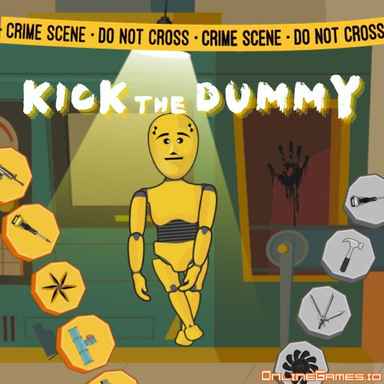
Kick The Dummy







Kick The Dummy — Controls and playing guide
What you do
Experiment with tools and weapons against a robotic dummy. The appeal is trying different reactions rather than following a long sequence of missions.
Controls
Use the left mouse button to select tools and interact.
A useful first decision
Change one tool at a time if you want to compare reactions. This makes each item's effect easier to understand.
Compare with these games
| Play | What you do | A useful first decision |
|---|---|---|
| Stickman Destruction | Launch a ragdoll through obstacle maps and experiment with poses or vehicles. Damage points support further unlocks and new launch setups. | Keep the map and pose fixed while changing launch strength. Comparing one variable makes the collision route easier to understand. |
| Kick The Buddy | Try different tools on a ragdoll character in a sandbox-style activity. It is built around experimentation rather than a required story route. | Test a newly unlocked tool on its own before combining it with others so its effect remains easy to identify. |
| Puppet Master | Interact with a ragdoll and use earned rewards toward additional tools. Combining tools changes the experiment, but makes individual effects harder to isolate. | Try a new tool alone, then compare it with one combination. This gives a clearer reason for your next unlock. |
These notes are compiled from published game descriptions and instructions. Controls and features can vary between browser editions.
Reference: Game provider description
Content reviewed:
More about this game
Sometimes, daily stress can accumulate and you need an outlet to release it. That’s where Kick The Dummy comes into play—an exciting game that allows you to punch, shoot, bomb, and smash a robot target. Whether you’re throwing benches or enjoying the vivid sound and visual effects, this game is designed to help you tap into your primal instincts and relieve tension. Dive in, let go of your frustrations, and enjoy a truly satisfying stress-relief experience!
How to Play Kick The Dummy
The gameplay in Kick The Dummy is straightforward and user-friendly. Simply click the play button to begin, then watch the robot’s health bar displayed at the bottom of the screen. Use your left mouse button to launch attacks and channel your aggression.
Weapons Available
To maximize the destruction, you can choose from several weapons. Select them via the icons along the top of the screen—five icons represent different weapons, plus one to discard your current selection. The options include:
- Handgun
- Assault Rifle
- Explosive Bomb
- Rocket Launcher
- Vehicle
- Handcuffs
- Swords
- Heavy Hammer
Tips and Advice
Enhance your gameplay by following these suggestions:
- Inflict damage on the robot to level up and collect coins. Use these coins to purchase new weapons—for example, unlocking the car lets you run over the robot for greater impact.
- Change the background to refresh the environment. Unlock new scenes with your coins and pick your favorite from the gallery.
- If the blood splatters or sound effects are too strong, you can disable them using the icons located in the top-right corner.
Controls
The entire game is controlled using the left mouse button—just click to attack and enjoy the chaos.
Other Recommended Games
If you enjoy Kick The Dummy, try Elastic Man for another fun way to relieve stress with a flexible character. For more exciting games, explore the Crazy Games section to find even more entertaining titles.