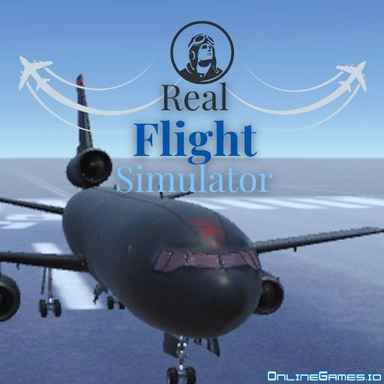






Real Flight Simulator — Controls and playing guide

What you do

Control an aircraft's pitch, roll, rudder, and throttle during flight. Taking off, cruising, and landing call for gradual adjustments rather than car-like steering.

Controls

W/S to pitch; A/D to roll; Q/E for rudder; Shift/Ctrl to increase/decrease throttle.

A useful first decision

Make small control changes and allow the aircraft to respond. Correcting repeatedly in opposite directions can turn a minor drift into a large swing.

Read the related guide: Browser-game help: controls, loading, sound, and saves

Compare with these games

What makes each game different
PlayWhat you doA useful first decision
Cat SimulatorExplore as a cat, complete activities, and earn coins toward other breeds. Movement and jumping help reach the next task location.Check the current task before wandering far away. Use short jumps to learn the cat's landing distance near platforms.
Super Car DrivingChoose between stunt challenges, parking, and free driving. Each activity tests a different skill, from precise low-speed positioning to landing jumps.Start with parking to learn the car's turning space, then use that knowledge to line up ramps in stunt mode.
Edys Car SimulatorFree-roam a city with different vehicles and experiment with an off-road or load-testing area. The activity is open-ended rather than mission-driven.Drive the same section in two vehicles to compare their turning and braking. Reset if tipped instead of treating a stalled test as a failure.

These notes are compiled from published game descriptions and instructions. Controls and features can vary between browser editions.

Reference: Game provider description

Content reviewed:

More about this game

Real Flight Simulator: Comprehensive Guide

Real Flight Simulator offers a genuine flying experience, enabling users to choose from a range of aircraft and learn to handle flight controls. Gain proficiency in operating planes, navigating at high altitudes, and exploring the skies through its realistic simulation features.

List of Available Aircraft

  • A-10
  • A-29
  • F-35
  • KC-10
  • M-262

Flight Operation Steps

  1. Turn on aircraft lights (Press Z) – optional; may impact performance
  2. Deploy flaps and slats if available (Press X)
  3. Start engine sequence (Press C)
  4. Increase throttle (Hold R or V)
  5. Release parking brakes (Press B)
  6. Begin rotation at takeoff speed of at least 150 knots (Press Down arrow)
  7. Retract landing gear once above 100 feet altitude (Press M)
  8. Proceed with normal flight operations

Control Layout

A/D – Roll Control

W/S – Pitch Adjustment

Q/E – Yaw Control

R/F – Engine Throttle Control

1 – Weapon Selection

2 – Target Lock

Space – Activate Weapons

Escape / F2 – Open Main Menu

H – Toggle Control Interface

Comments(27)

W

WingCommander

2025-11-11 05:06:29

Impressive aircraft selection. The A-10 Warthog is my favorite - such raw power!

A

AviatorPro

2025-11-09 03:16:39

Realistic controls and physics make this one of the best mobile flight sims available. The F-35 handles beautifully.

A

AirSuperiority

2025-11-01 21:09:31

The KC-10 tanker is surprisingly fun to fly. Different experience from the fighters.

S

Stratosphere

2025-10-28 23:39:05

The attention to proper flight procedures is impressive. Makes you feel like a real pilot.

C

CloudSurfer

2025-10-19 07:14:08

Graphics could use some improvement, but the flight mechanics are top-notch for a browser game.

J

JetSetPilot

2025-10-14 05:59:40

Wish there were more civilian aircraft, but the military jets are fun to fly.

S

SkyCaptain92

2025-09-30 12:35:31

The level of detail in this flight simulator is incredible! Finally a game that respects aviation enthusiasts.

S

SkyLord

2025-09-30 09:15:48

A-29 Super Tucano is surprisingly agile. Perfect for low-altitude flying.

F

FlightSchoolGrad

2025-09-14 04:22:24

Perfect for practicing instrument flying. The control interface toggle is a nice feature.

N

NoseDive

2025-09-04 13:12:54

Had some trouble with the throttle controls initially, but now it feels natural.